JSON Tables logo: a table grid between curly JSON braces on a blue rounded square

Browser extension · Safari · Chrome · Firefox

Read any JSON as a table, chart or report

JSON Tables turns raw API responses into formatted JSON, sortable tables, charts and CSV exports, right in your browser. Open a JSON URL and it's ready. No copy-paste, no dashboard, no data leaving your device.

Coming soonGet for SafariComing soonGet for ChromeComing soonGet for Firefox
  • No data collected
  • Works offline
  • Light & dark mode
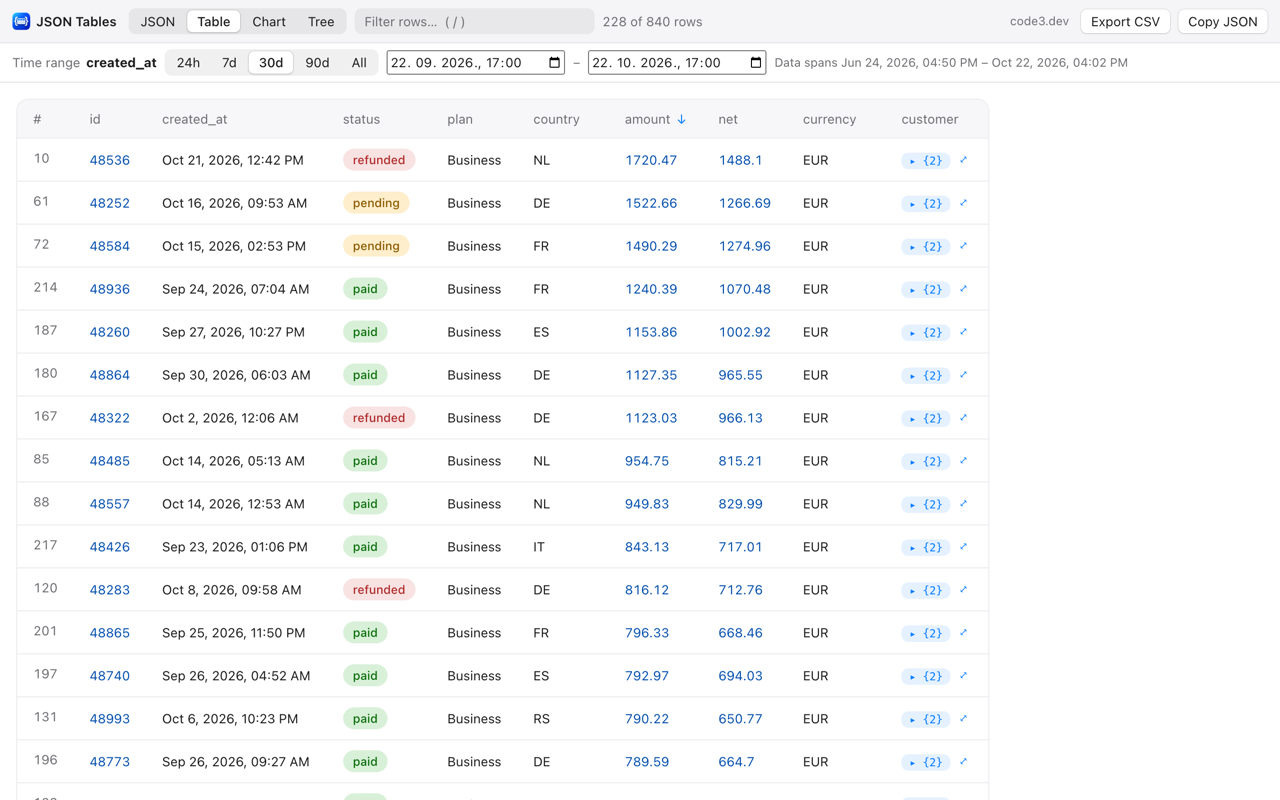
JSON Tables table view of a payments API: rows sorted by amount, colored status labels for paid, pending and refunded, readable dates, and a 30-day time range filter
A payments API response, sorted by amount and filtered to the last 30 days.

Four views, one click apart

JSON, Table, Chart and Tree

Every JSON page gets a toolbar with four views. JSON Tables opens in the one you used last, on every website.

JSON view

Formatted, colored JSON you can copy from

The default view is always fully expanded and fast, even on big responses: about a second for 20,000 records.

  • Select any part and copy it as exact JSON, with indentation fixed for nested selections.
  • One-click Copy buttons on objects and arrays in the first two levels.
  • JSON hidden inside strings (double-encoded payloads) is decoded, so you copy clean JSON without escape characters.
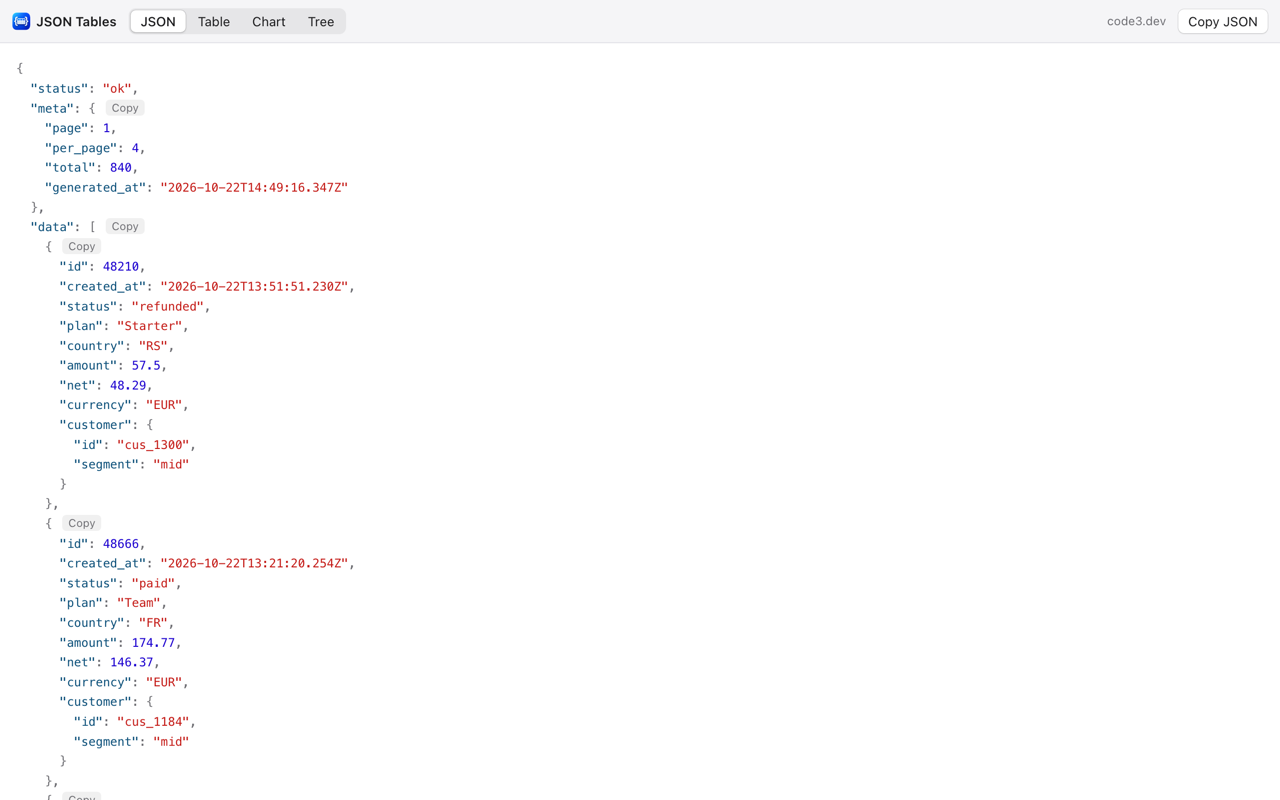
Table view

Sortable, filterable tables from any array

Click a column header to sort. Numbers sort as numbers and text sorts naturally, so item2 comes before item10.

  • Filter rows by any value. Press / to jump to the filter box.
  • Status columns show colored labels: green for paid, amber for pending, red for refunded.
  • Nested objects open inline as sub-tables, or full size with ⤢ and breadcrumbs back.
  • Records keyed by ID, like {"2": {…}, "3": {…}}, become one table.
Chart view

Chart any column in seconds

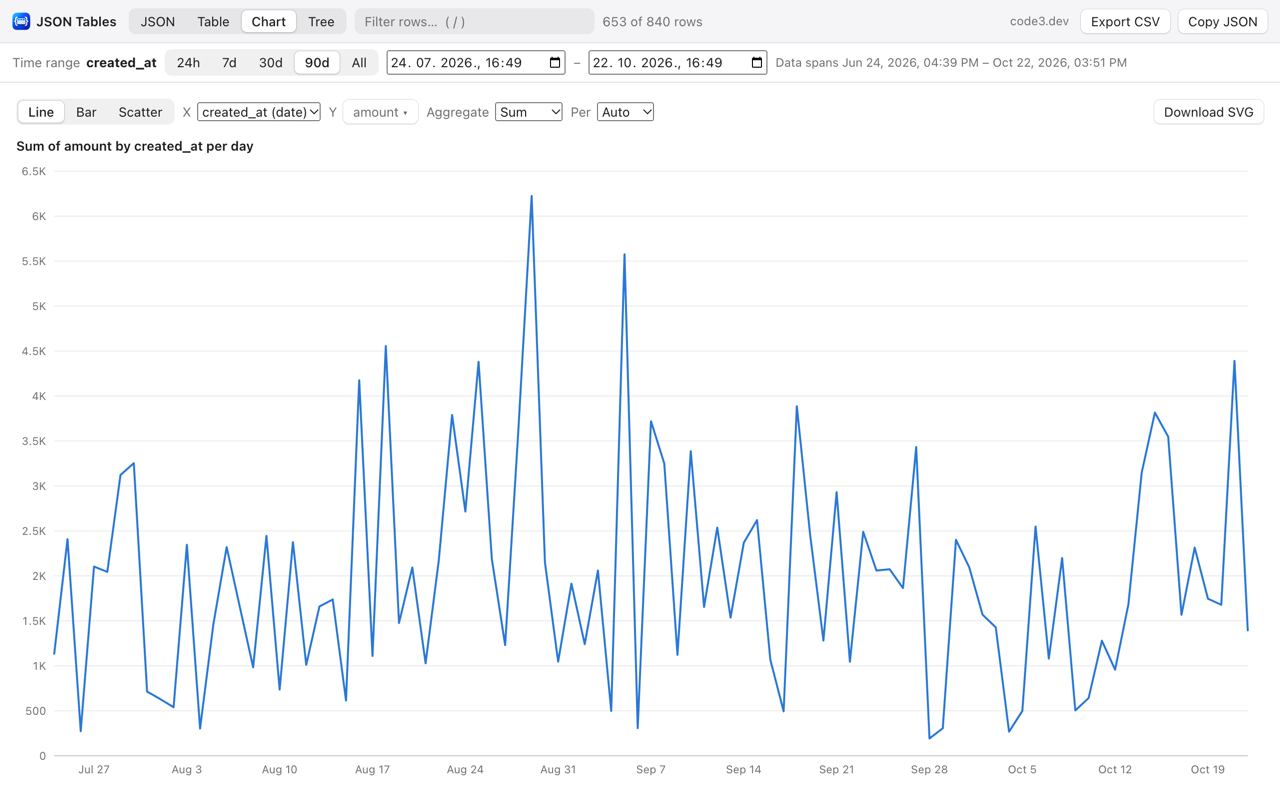
Choose X and one or more Y series, pick an aggregation, and JSON Tables draws a line, bar or scatter chart. Hover for exact values.

  • Sum, average, min, max or count, per hour, day, week, month or year.
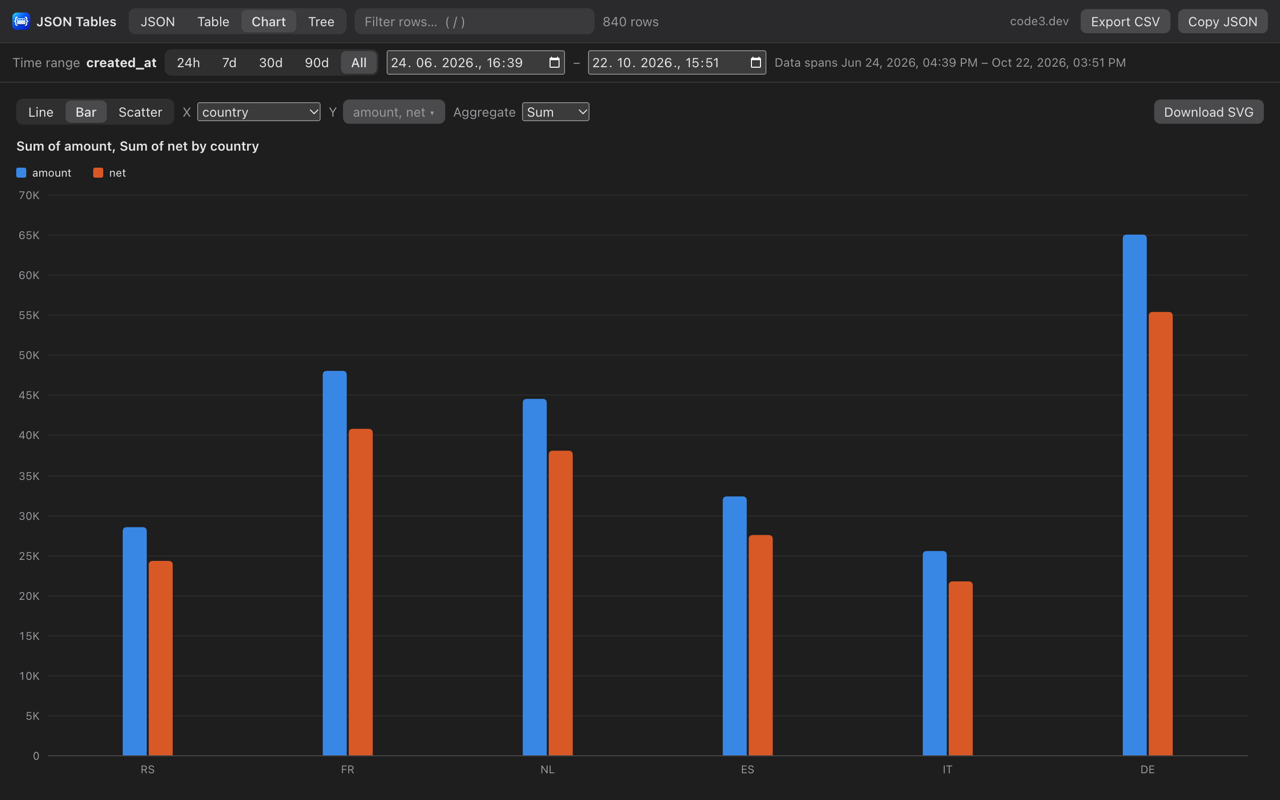
  • Group by category, like revenue per country, with several series side by side.
  • Download the chart as SVG.
Tree view

A compact outline of the whole document

See the shape of a response at a glance. Every object and array shows a summary like {9} or [4], with guide lines to keep your place.

  • Expand all or collapse all with one click.
  • Opens fully expanded unless the JSON has more than 5,000 values.

Reporting

Data behind an API, no dashboard needed

Any table you're viewing full size works as a report. The time range and the text filter apply to the table, the chart and the exports alike.

Amount and net revenue by country, in dark mode.

Date detection

ISO date strings are recognised, and so are Unix timestamps in seconds or milliseconds in columns like created_at or ts.

Time range filter

Last 24 hours, 7, 30 or 90 days, everything, or any custom from/to range.

CSV export

Export the visible rows in on-screen order, or the aggregated chart data. Opens in Excel and Numbers as UTF-8, with formula injection neutralised.

Wrapped responses

For {"type": …, "payload": […]} style responses, the Chart tab lists the datasets inside so you can jump to one.

Readable dates

ISO dates show as "Oct 20, 2026, 3:29 PM", with the original value on hover. Epoch columns get a readable date next to them.

Fast on big data

Large arrays render 500 rows at a time. Small tables open nested values automatically.

How it works

Install it once, then just open JSON

  1. Open a JSON URL

    Any page served as JSON is replaced by the JSON Tables view. Other pages are left untouched.

  2. Or paste and drop

    Click the toolbar button and choose Open JSON viewer to paste JSON or open a .json file.

  3. Sort, chart, export

    Switch views, pick a time range, plot a column and export CSV for your spreadsheet.

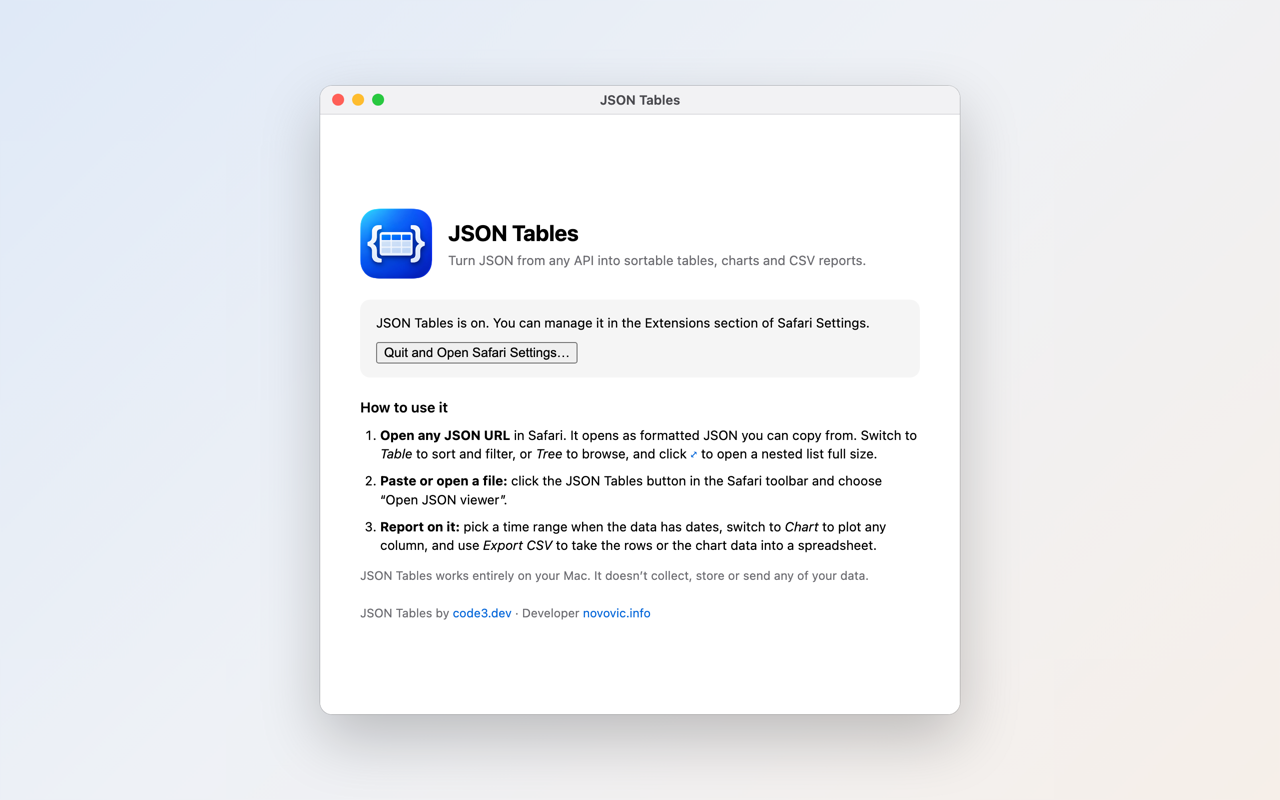
The Safari version comes with a small Mac app that walks you through setup.

Private by design

Your JSON never leaves your device

No analytics, no accounts, no cookies, no network requests. JSON Tables only reads the page you're viewing, only changes pages that are JSON documents, and saves exports only where you choose.

Privacy policy →

FAQ

Questions

Which browsers does JSON Tables support?

Safari on macOS 13 (Ventura) or later, Chrome and Chromium browsers such as Edge, Brave and Arc, and Firefox 115 or later.

Does JSON Tables send my data anywhere?

No. JSON Tables runs entirely in your browser. It has no analytics, no accounts and makes no network requests. The JSON you view never leaves your device. See the privacy policy.

Can I open local .json files or paste JSON?

Yes. Click the JSON Tables toolbar button and choose Open JSON viewer to paste JSON, drop a .json file or pick one from disk. In Chrome you can also turn on Allow access to file URLs in the extension's details to open local files directly.

How large can the JSON be?

The JSON view formats about 20,000 records in roughly a second. Tables render 500 rows at a time, and formatted JSON over 8 MB is shown without colors to stay fast.

Why does Firefox show its own JSON viewer instead?

Firefox's built-in JSON viewer takes over JSON URLs first. Set devtools.jsonview.enabled to false in about:config to use JSON Tables on JSON URLs. The paste-and-open viewer works either way.

JSON Tables logo

Get JSON Tables

For Safari, Chrome and Firefox.

Coming soonGet for SafariComing soonGet for ChromeComing soonGet for Firefox